|
ExpressLane Help |
| [ ExpressLane Help Menu | Employee Services | Benefits and Deductions | Exit Help ] | ||
| Employee Services > Benefits and Deductions > | ||
Retirement |
||
|
||
|
[ History |
Plan Update |
Contributions and Deductions | Vendor Web Site | Add a Retirement Plan ] |
|
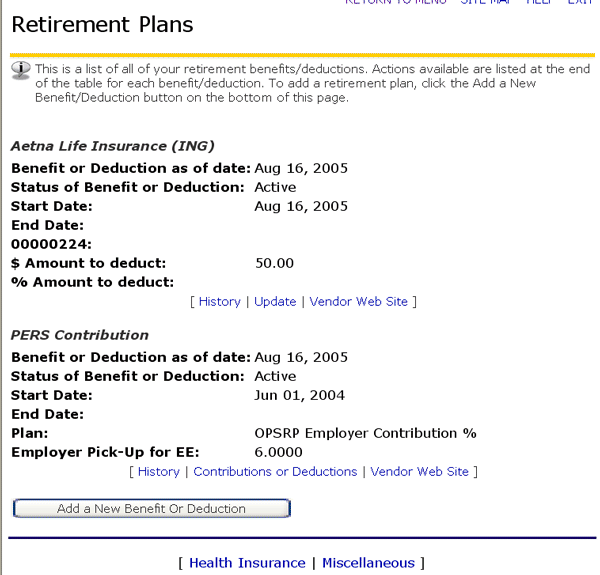
A. Current Retirement Plan The Retirement Plans web page displays the screen below which lists your current retirement benefits/deductions. [ Top of Page ]
|
|
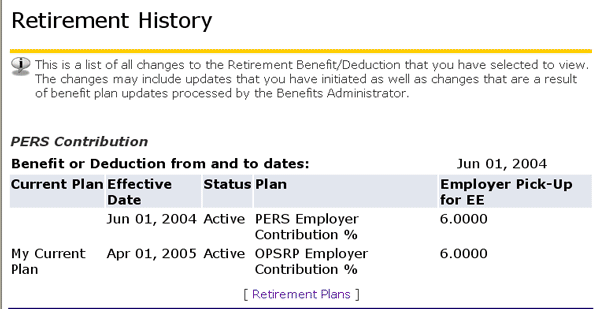
B. History The History link below any of the listed Retirement Plans will take you to the following screen, listing all the changes that have been made to your retirement benefits/deductions for the selected plan. [ Top of Page ]
|
|
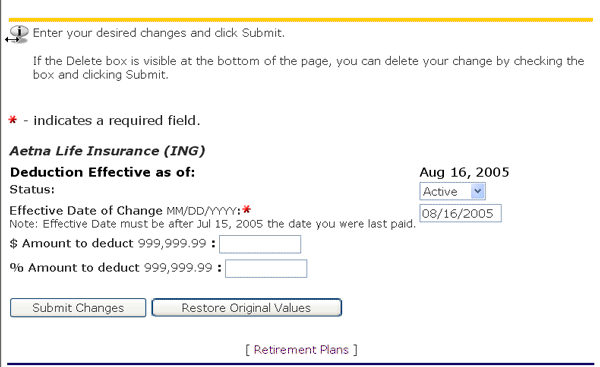
C. Plan Update To change your retirement plan (e.g., change the amount of deduction per pay period) click the Update link below the selected plan, which will open the following window: [ Top of Page ]
|
|
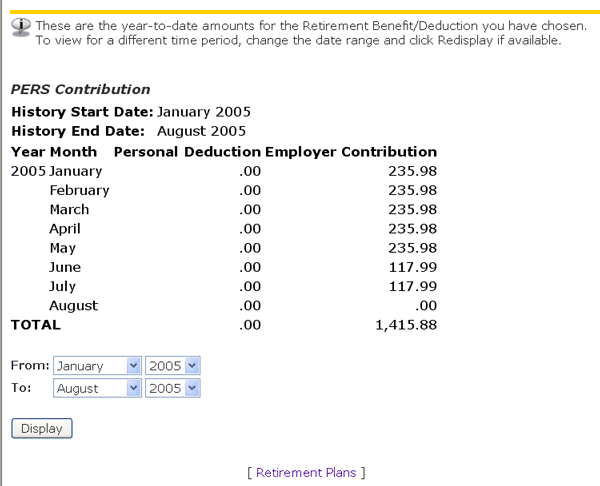
D. Contributions and Deductions The Contributions and Deductions link below the Pers Retirement Plan will take you to the screen shown below, listing your Personal Deductions and Employer Contributions to your Retirement Plan for the range indicated. You can select a different range of months to review by clicking the down arrows to the right of the months and years towards the bottom of the screen, and then clicking the Display button. [ Top of Page ]
|
|
E. Vendor Web Site Vendors for each Retirement Plan can be accessed by clicking the Vendor Site link below each Retirement Plan in the list shown in #A above. At these sites, you can obtain more information about the particular plan, and also access Customer Service. [ Top of Page ]
|
|
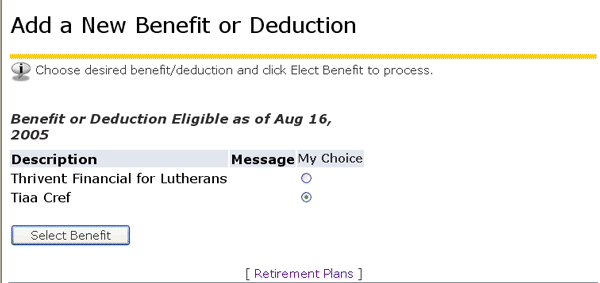
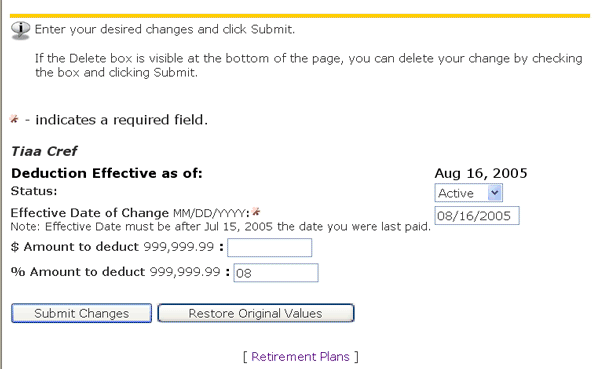
F. Add a Retirement Plan The Add New Benefit or Deduction button will take you to the screen shown below: [ Top of Page ]
|
 |
| [ ExpressLane Help Menu | Employee Services | Benefits and Deductions | Exit Help ] |